Good First Issues
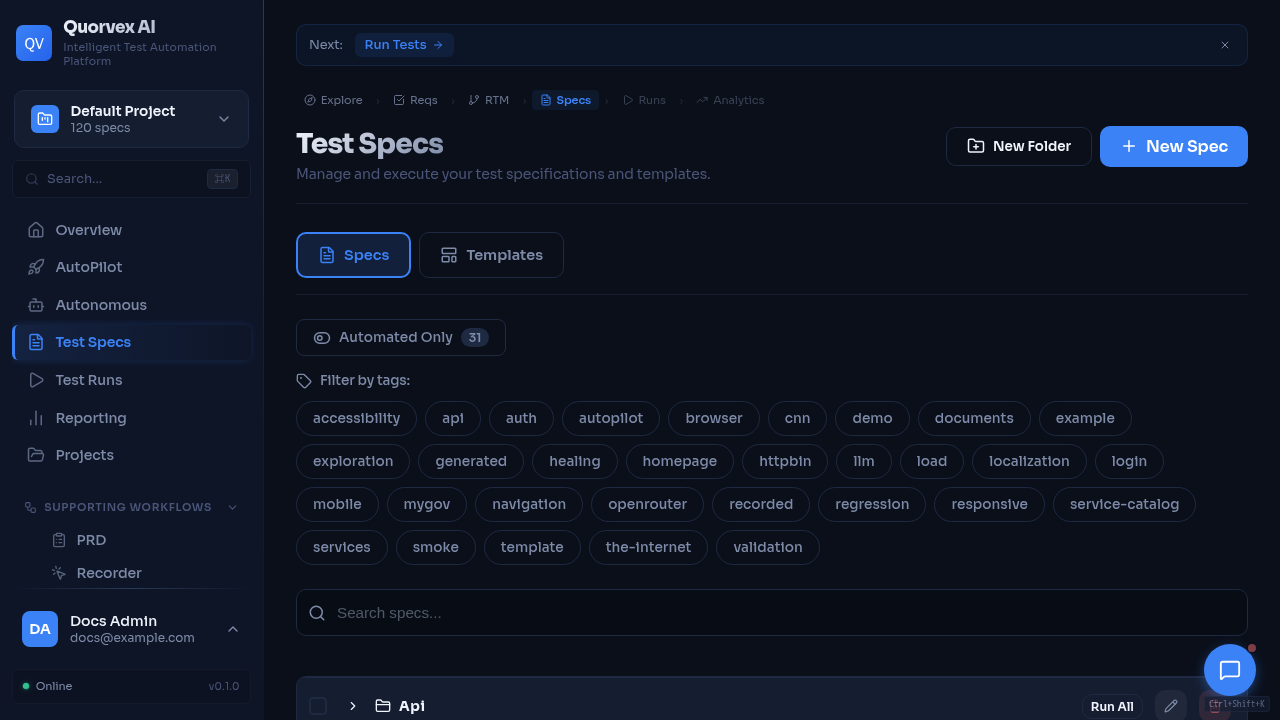
Test specifications dashboard with contributor-friendly feature areas.
A curated list of improvements that new contributors can pick up without deep knowledge of the entire system. Each issue is scoped to be completable in 1-4 hours.
Before starting, read the contributing guide for setup instructions, code style, and PR guidelines.
Documentation Improvements
1. Expand Documentation Drift Checks for New Public Surfaces
Description: The docs drift checker already validates environment variables, CLI flags, selected API routes, dashboard routes, MkDocs nav coverage, local image assets, and common stale setup strings. Extend it to cover one additional public surface, such as Pydantic request/response model names in high-traffic API docs, public Makefile targets, or external comparison source freshness metadata.
Difficulty: Easy
Type: docs
Files involved:
scripts/check_docs_drift.pydocs/guides/documentation-maintenance.md- The reference page for the surface being checked
Skills needed: Python, Markdown, reading source files to understand public interfaces
2. Add More Practical Examples to the CLI Reference
Description: The CLI (orchestrator/cli.py) has grown to support browser, mobile, PRD, exploration, requirements, RTM, API, validation, and skill execution workflows. The reference doc covers the main command families, but it can use more real-world examples for common team workflows. Add examples for one focused workflow, such as authenticated exploration, mobile Appium runs, PRD-to-tests, or API edge-case generation. Cross-reference with cli.py's argparse definitions to ensure accuracy.
Difficulty: Easy
Type: docs
Files involved:
docs/reference/cli.mdorchestrator/cli.py(read the argparse section near the bottom)
Skills needed: Markdown, basic command-line familiarity
3. Expand the Troubleshooting Guide with More Production Issues
Description: The troubleshooting guide at docs/guides/troubleshooting.md covers common local, Docker, browser pool, and production issues. Add entries for additional real-world operations scenarios, such as:
- Temporal unavailable for autonomous missions
- Long-running agent missions stuck or repeatedly retrying
- K6 workers alive but not picking up queued jobs
- MinIO backups succeeding locally but failing to upload
- ZAP daemon reachable from host but not from the backend container
Each entry should follow the existing format: symptom, cause, solution.
Difficulty: Easy
Type: docs
Files involved:
docs/guides/troubleshooting.mdCLAUDE.md(Common Issues table, for reference)
Skills needed: Markdown, Docker familiarity
4. Add Template Include Edge Cases to the Spec Docs
Description: Test specs support an @include directive (e.g., @include "templates/login.md") that lets you reuse common step sequences across specs. The writing guide covers the common path. Expand it with focused edge-case examples:
- nested includes and how to avoid circular reuse
- missing template errors and how to debug path resolution
- project-specific templates versus shared templates
- validation with
python orchestrator/cli.py specs/my-test.md --validate-only
Difficulty: Medium
Type: docs
Files involved:
docs/guides/writing-specs.mdspecs/templates/(examine existing templates for examples)orchestrator/utils/(search for the include resolution logic)
Skills needed: Markdown, understanding of the spec format
Frontend UI Improvements
5. Expand prefers-reduced-motion Coverage
Description: The app has at least one prefers-reduced-motion rule, but coverage is route-specific. Audit shared CSS and common dashboard components for transitions, transforms, animated spinners, and chart animations that still ignore the user's OS motion preference. Add or consolidate reduced-motion rules where needed.
Difficulty: Easy
Type: frontend
Files involved:
web/src/app/globals.css
Skills needed: CSS, accessibility basics
6. Add Descriptive Alt Text to Visual Regression Diff Images
Description: The run detail page (runs/[id]/page.tsx) displays visual regression screenshots (expected, actual, and diff images) using <img> tags, but these images either lack alt attributes entirely or use generic ones. Screen reader users cannot understand what these images represent. Add meaningful alt text such as "Expected screenshot for [test name]", "Actual screenshot from latest run", and "Visual diff highlighting changes". Apply the same fix to any other <img> tags in the codebase that are missing descriptive alt attributes.
Difficulty: Easy
Type: frontend
Files involved:
web/src/app/(dashboard)/runs/[id]/page.tsx(lines ~547-563 and ~792)web/src/app/(auth)/login/page.tsx(verify existing alt attributes are descriptive)
Skills needed: React/JSX, basic accessibility knowledge
7. Add Route-Level Loading Skeletons
Description: Next.js App Router supports loading.tsx files that display automatically while a route's page component is loading. Currently, none of the (dashboard)/* routes have a loading.tsx file, which means users see a blank content area during navigation. Add loading.tsx files to the most-visited routes: runs/, specs/, dashboard/, and regression/batches/. Each should render a simple skeleton placeholder (the project already has a FormPageSkeleton component in web/src/components/ui/page-skeleton.tsx that can serve as a reference pattern).
Difficulty: Medium
Type: frontend
Files involved:
web/src/app/(dashboard)/runs/loading.tsx(create)web/src/app/(dashboard)/specs/loading.tsx(create)web/src/app/(dashboard)/dashboard/loading.tsx(create)web/src/app/(dashboard)/regression/batches/loading.tsx(create)web/src/components/ui/page-skeleton.tsx(reference for skeleton patterns)
Skills needed: React, Next.js App Router, Tailwind CSS
8. Replace Silent Error Swallowing with User-Visible Feedback
Description: Several frontend components catch fetch errors with .catch(() => {}) or .catch(() => { }), silently discarding them. When an API call fails, the user gets no feedback -- no error toast, no inline message, nothing. The project already uses sonner for toast notifications (imported in many pages). Replace the silent catches in the settings page and other affected components with toast.error() calls that show a brief, user-friendly error message.
Start with the settings page which has at least 4 instances of .catch(() => { }).
Difficulty: Medium
Type: frontend
Files involved:
web/src/app/(dashboard)/settings/page.tsx(lines ~205, ~256, ~304, ~359)web/src/app/(dashboard)/analytics/components/FailuresTab.tsxweb/src/app/(dashboard)/analytics/components/FlakeDetectionTab.tsx
Skills needed: React, TypeScript, familiarity with sonner toast library
Backend Improvements
9. Replace print() Calls with logger in cli.py
Description: The project convention (stated in CLAUDE.md) is: "Never use bare print() in backend code -- use logger instead." However, orchestrator/cli.py alone contains roughly 356 print() calls. While some print usage in a CLI entry point is acceptable for direct user output, many of these are progress/debug messages that should use logger.info() or logger.debug() instead. This would allow log-level filtering and consistent formatting with the rest of the system.
Scope this to cli.py only. Preserve print() for final user-facing output (like "Test passed!" summary lines) but convert progress messages, debug output, and error reports to use the logger.
Difficulty: Medium
Type: backend
Files involved:
orchestrator/cli.pyorchestrator/logging_config.py(reference for logger setup pattern)
Skills needed: Python, understanding of logging module
10. Fix Incorrect Docstring in mask_credential()
Description: The mask_credential() function in orchestrator/api/credentials.py has a docstring that says:
But the actual code returns the last 4 characters, not the last 1. The correct example should be:
Additionally, the "abc" -> "****" (too short) example is correct for strings of length 4 or less, but add an example for a 5-character string to make the boundary behavior clear (e.g., "abcde" -> "****bcde"). While fixing the docstring, also verify the masking logic is intentional (showing last 4 chars exposes more than typical masking implementations which show only 2-3).
Difficulty: Easy
Type: backend
Files involved:
orchestrator/api/credentials.py(lines 86-107)
Skills needed: Python
11. Add Proper Type Hints to generate_alerts() in health.py
Description: The generate_alerts() function in orchestrator/api/health.py has a parameter redis: RedisHealth = None on line 369. This is a type hint that claims redis is of type RedisHealth, but it defaults to None, which is not a RedisHealth. The correct annotation is redis: RedisHealth | None = None. This causes type checkers (mypy, pyright) to flag a type error.
While fixing this, audit the rest of health.py for similar issues. Also check whether any other API files use param: SomeType = None without the | None union.
Difficulty: Easy
Type: backend
Files involved:
orchestrator/api/health.py(line 369)
Skills needed: Python type hints
12. Add Logging to Silent except Exception: pass Blocks
Description: Several service files catch broad exceptions and silently discard them with pass, making debugging nearly impossible when things go wrong. For example:
orchestrator/services/job_queue.pyline 185-186:except Exception: passduring Redis connection cleanuporchestrator/services/scheduler.pyhas multipleexcept Exception: passblocks (lines 122, 133, 144, 158, 167)
Replace pass with logger.debug() or logger.warning() calls that log the exception. This preserves the "don't crash on cleanup errors" behavior while making failures visible in logs. Use logger.debug("...", exc_info=True) for expected/recoverable situations and logger.warning() for situations that indicate a real problem.
Difficulty: Easy
Type: backend
Files involved:
orchestrator/services/job_queue.pyorchestrator/services/scheduler.pyorchestrator/services/k6_queue.py(line 174)orchestrator/services/agent_worker.py(lines 278, 451, 478)
Skills needed: Python, logging module
Testing Improvements
13. Add Unit Tests for json_utils.py
Description: orchestrator/utils/json_utils.py is a critical utility used across all AI pipelines to extract JSON from Claude's markdown-wrapped responses. It currently has zero test coverage. The functions are pure (no side effects, no network, no database) and straightforward to test.
Write a test file covering:
extract_json_from_markdown(): valid```json ```blocks, plain``` ```blocks, raw JSON strings, invalid input (empty string, non-string input, non-JSON content)_parse_json_with_fallback(): valid JSON, truncated JSON that can be fixed, completely invalid JSON_attempt_fix_truncated_json(): unclosed braces, unclosed brackets, unclosed strings, trailing commas before closing bracketssave_json()andload_json(): round-trip test with a temp file
Difficulty: Medium
Type: testing
Files involved:
orchestrator/utils/json_utils.py(the module under test)orchestrator/tests/test_json_utils.py(create this file)orchestrator/tests/test_requirement_dedup.py(reference for test structure and conventions)
Skills needed: Python, pytest
14. Add Unit Tests for credentials.py
Description: orchestrator/api/credentials.py contains encryption, decryption, and masking functions that handle sensitive credential data. These functions are pure and isolated (they only need JWT_SECRET_KEY in the environment) but have no test coverage. A bug here could expose secrets or break credential storage silently.
Write a test file covering:
encrypt_credential()/decrypt_credential(): round-trip (encrypt then decrypt returns original), empty string handling, different string lengthsmask_credential(): strings shorter than 4 chars, exactly 4 chars, longer strings, empty stringget_env_credentials(): mock environment variables and verify the function picks up*_USERNAME,*_PASSWORDpatterns while skipping internal keys likeANTHROPIC_AUTH_TOKEN
Set JWT_SECRET_KEY in the test environment setup (see test_api_endpoints.py line 21 for the pattern).
Difficulty: Easy
Type: testing
Files involved:
orchestrator/api/credentials.py(the module under test)orchestrator/tests/test_credentials.py(create this file)orchestrator/tests/test_api_endpoints.py(reference for test setup pattern)
Skills needed: Python, pytest, basic understanding of encryption concepts