Agent Run Temporal Runbook
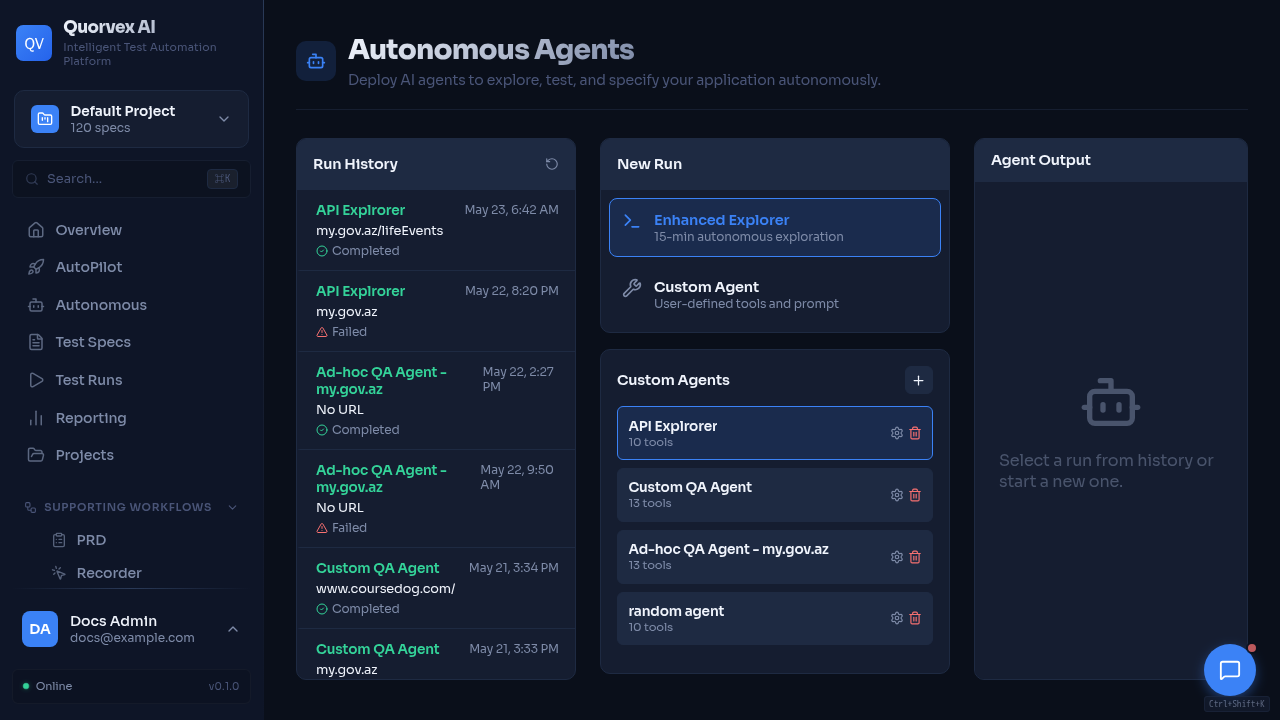
Agents dashboard showing standalone run status and operational controls.
Standalone agent runs are durable only when Temporal and the custom workflow worker are healthy. The API fails closed when Temporal is unavailable. Agent execution is handled by Temporal activities; the Redis agent queue is not required for new agent runs.
Required Runtime
TEMPORAL_ADDRESS: Temporal frontend address, for exampletemporal:7233in Docker.TEMPORAL_NAMESPACE: Temporal namespace, usuallydefault.TEMPORAL_WORKFLOW_TASK_QUEUE: task queue used byAgentRunWorkflow, defaultquorvex-custom-workflows.TEMPORAL_UI_URL: optional UI URL surfaced in run diagnostics.- Worker:
python -m orchestrator.services.custom_workflow_worker.
The same worker registers CustomWorkflowRun, AgentRunWorkflow, and DomainJobWorkflow. The worker contract should include the direct_agent_execution capability.
Verify Health
curl http://localhost:8001/api/agents/temporal/health
curl http://localhost:8001/workflows/temporal/health
Both responses should show available: true and the expected workflow task queue.
Run The Smoke Test
The smoke test creates a deterministic no-op agent run, starts AgentRunWorkflow, waits for completion, and verifies the expected event sequence.
Inspect A Stuck Agent Run
- Open the agent run details page and check the Temporal panel.
- Confirm
temporal_workflow_id, namespace, task queue, workflow status, activity count, retry count, and last failure. - Open Temporal UI from the displayed link when
TEMPORAL_UI_URLis configured. - Check worker logs:
Expected Failure Behavior
If Temporal cannot start a workflow, the API returns 503, marks the run failed, stores the error in result, and emits temporal_start_failed. This is intentional; standalone agent runs must not start through non-durable background execution.
New agent runs should not create Redis agent_task_id values. Existing rows may still display an old task id for historical diagnostics, but pause, resume, and cancel are controlled through Temporal signals.
Release Checklist
- Apply migrations through revision
035. - Deploy backend and
custom_workflow_workertogether. - Verify
/api/agents/temporal/health. - Run
make agent-temporal-smoke. - Confirm the agents UI shows workflow status and no Temporal error for the smoke run.
- Confirm new exploratory, synthesis, and custom agent runs record
temporal_workflow_id. - Confirm requirements generation, bulk spec generation, and RTM generation return
temporal_workflow_id.