How to Use AutoPilot and Autonomous Agents
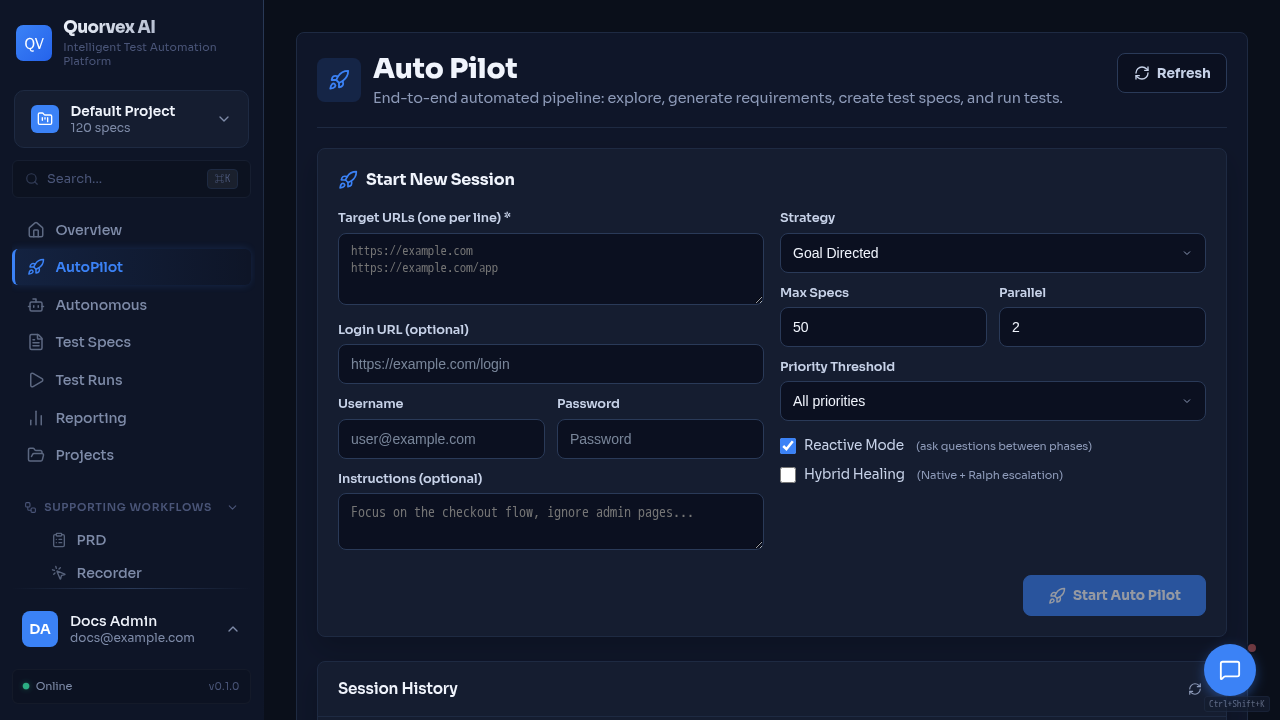
AutoPilot dashboard showing autonomous test generation workflow.
AutoPilot and autonomous agents are for teams that want Quorvex AI to inspect an application, propose useful tests, and keep working across multiple steps instead of generating one test from one static spec.
Use AutoPilot when you want an interactive session with live progress and artifacts. Use autonomous missions when you want recurring or longer-running exploration with approval gates before tests are materialized. With the scheduler, Temporal worker, queues, and monitored infrastructure in place, missions are designed for continuous 24/7-style operation.
Prerequisites
- Quorvex AI running with the dashboard available at
http://localhost:3000 - AI provider credentials configured in
.env.prodor.env - A target application URL that Quorvex can reach from the backend container or local process
- Test credentials stored as environment variables or encrypted project credentials when the app requires login
For the most stable local setup, run:
This mode is currently unsupported while the Compose stack is rebuilt.
For day-to-day development, use:
Run an AutoPilot Session
- Open
http://localhost:3000. - Select the project you want to work in.
- Open AutoPilot from the sidebar.
- Enter the target URL and the goal, such as:
Explore checkout, authentication, and account settings. Generate high-value smoke and regression tests for the main user flows.
- Start the session and monitor phases, live browser state, questions, logs, and generated artifacts.
- Review the proposed tasks and generated specs before running or committing them.
AutoPilot can discover pages, interact with flows, ask for missing context, generate task artifacts, and hand useful discoveries into the normal spec/test pipeline.
Run Persistent Autonomous Missions
Use autonomous missions for recurring discovery and test proposal workflows. They can be configured as short investigation runs, scheduled checks, or long-lived missions that keep looking for useful coverage gaps over time.
- Open Autonomous from the dashboard.
- Create a mission with a target URL, objective, schedule, and any required credentials.
- Let the mission run one or more iterations.
- Review findings, approve useful proposals, and materialize approved items into specs or tests.
Autonomous missions are backed by the Temporal worker when that service is enabled. If Temporal is unavailable, mission start or signal actions report that status instead of silently running without durable orchestration. For 24/7-style operation, run the backend, worker, database, Redis, and Temporal services under Docker, Swarm, Kubernetes, or another supervised deployment path with normal health checks and backups.
Custom Agents
Open Agents to define and run custom agent workflows. Use this when your team has a repeatable testing task that should combine a specific tool set, reporting format, and approval process.
Common agent use cases:
- Explore a feature area and produce a report.
- Generate specs from edited flows.
- Validate prerequisites such as authentication, seed data, and application state.
- Run a bounded custom workflow and export an agent report.
Operational Notes
- AutoPilot and agents consume browser slots. Use
make autopilot-status,make prod-status, or the browser pool endpoints when runs appear queued. - For more isolated browser execution, start browser workers with
make workers-upand scale withmake workers-scale N=8. - Store secrets in project credentials or environment variables, then reference them in specs with placeholders like
{{LOGIN_PASSWORD}}. - Prefer approval gates for autonomous missions that can create or modify test artifacts.