Documentation Maintenance
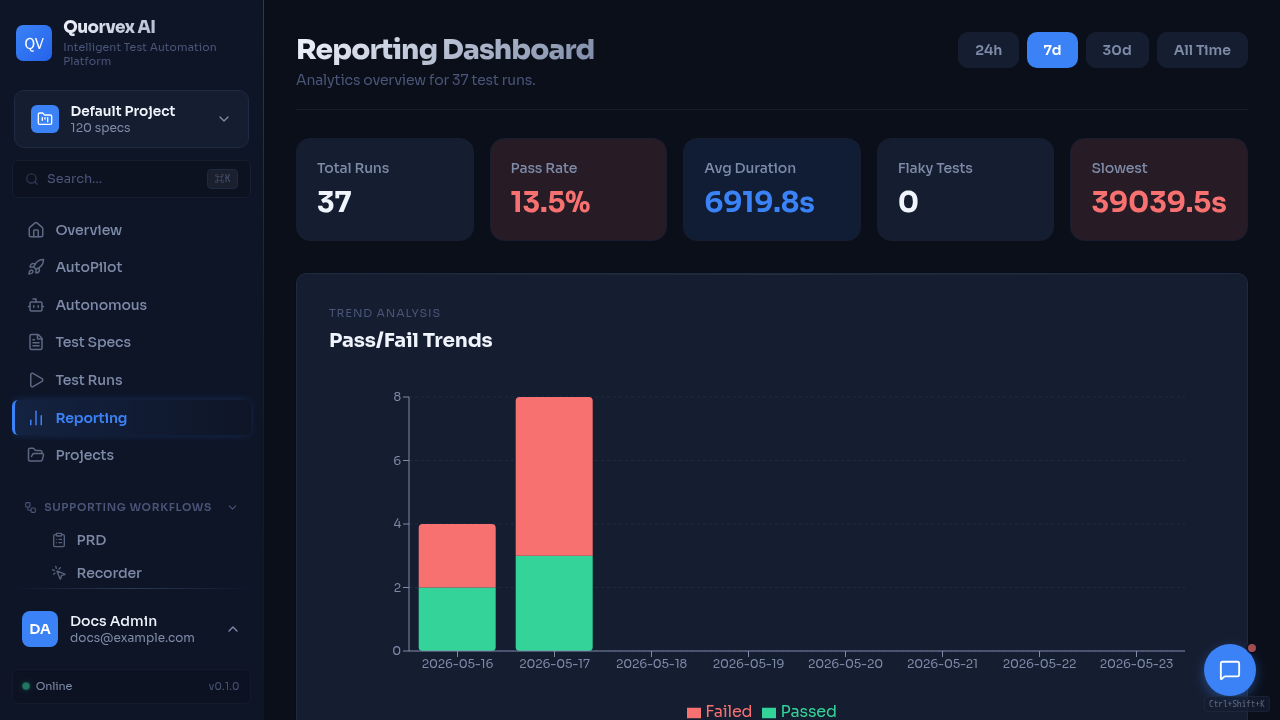
Quorvex dashboard overview used in documentation visual maintenance.
How to keep Quorvex AI documentation accurate as features, APIs, and dashboard pages change.
Prerequisites
- Local checkout of the repository
- Python environment with docs dependencies installed
- Basic familiarity with the feature you changed
Step 1: Choose the Right Page Type
Use the Diataxis structure already in docs/:
| Change type | Update this area | Purpose |
|---|---|---|
| New user workflow | docs/tutorials/ | Teach a first successful path |
| Operational task | docs/guides/ | Help users solve a specific problem |
| API, CLI, env var, schema, or UI surface | docs/reference/ | Record exact options and fields |
| Architecture or design rationale | docs/explanation/ | Explain why the system works this way |
| Contributor-facing process | docs/guides/ and CONTRIBUTING.md | Keep maintainers and external contributors aligned |
Do not mix page types. If a page starts becoming both a tutorial and a reference, split the content and link between the pages.
Step 2: Check the Documentation Impact
Before opening a PR, check whether your code change affects any of these surfaces:
| Code changed | Documentation to check |
|---|---|
FastAPI route in orchestrator/api/ | docs/reference/api-endpoints.md, related guide |
| Request or response model | API reference, dashboard reference, examples |
| Environment variable | docs/reference/environment-variables.md, setup tutorials |
| CLI flag or command | docs/reference/cli.md, getting started tutorial |
| Makefile target | docs/reference/makefile.md |
| Database model or migration | docs/reference/database-schema.md, architecture explanation |
| Dashboard route or workflow | docs/reference/web-dashboard.md, related tutorial or guide |
| UI screenshot or GIF | docs/assets/ui/visual-assets.manifest.json, related page |
| Pipeline behavior | docs/guides/pipeline-modes.md, docs/explanation/pipeline-architecture.md |
| Memory behavior | docs/explanation/memory-system.md, docs/reference/api-endpoints.md |
| Deployment behavior | docs/guides/deployment.md, docs/guides/company-deployment.md |
Step 3: Keep References Source-Aligned
Use source files as the authority:
rg -n "^@router\\.(get|post|put|patch|delete)|^@app\\.(get|post|put|patch|delete)|add_api_route" orchestrator/api
rg -n "os\\.getenv|process\\.env|Field\\(.*env" orchestrator web --glob '!node_modules/**'
rg -n "add_argument|click\\.option|typer\\.Option" orchestrator
When updating reference docs, prefer compact tables over prose. Include source file names when the page already uses them.
Run the automated drift check after reference changes. It verifies environment variables, CLI flags, selected public API routes, localhost:8001 API examples, dashboard pages, MkDocs navigation coverage, local documentation image assets, UI visual coverage, and common stale setup strings before running the strict docs build:
Step 4: Keep UI Visuals Current
Every published docs page must render at least one UI screenshot or GIF from docs/assets/ui/. Use screenshots for stable pages and short GIFs for multi-step workflows. Do not use terminal screenshots.
When a dashboard workflow changes, update the matching asset entry in docs/assets/ui/visual-assets.manifest.json, start the dashboard, and recapture the UI assets:
The capture command writes committed assets under docs/assets/ui/. The check command verifies that each published page has a visible local UI visual with alt text and that manifest assets exist with valid dimensions.
Step 5: Update Navigation
If you add a new page, add it to mkdocs.yml under the correct section. Every public docs page should be reachable from the navigation or from a directly related page.
For hidden maintainer notes, use docs/.style-guide.md or another excluded file and document why it is excluded.
Step 6: Build the Docs
Run the docs build before submitting:
If MkDocs is not available, install the docs dependencies:
Fix warnings before merging. Broken links, duplicate headings, missing nav entries, invalid Mermaid blocks, missing env vars, missing CLI flags, and stale setup snippets tend to become user-facing gaps quickly.
Step 7: Review for Drift
Use this checklist for every docs PR:
- The page has one clear purpose and one audience.
- Commands are copy-pasteable from the repository root unless stated otherwise.
- Links are relative for internal docs.
- API paths, local
localhost:8001curl examples, env vars, dashboard routes, CLI flags, nav entries, and referenced local assets match the code and repository. - Each published docs page renders a UI screenshot or GIF from
docs/assets/ui/. - Examples avoid real credentials and use placeholders.
- New docs are included in
mkdocs.yml. make docs-checkpasses.