YouTube MCP Production
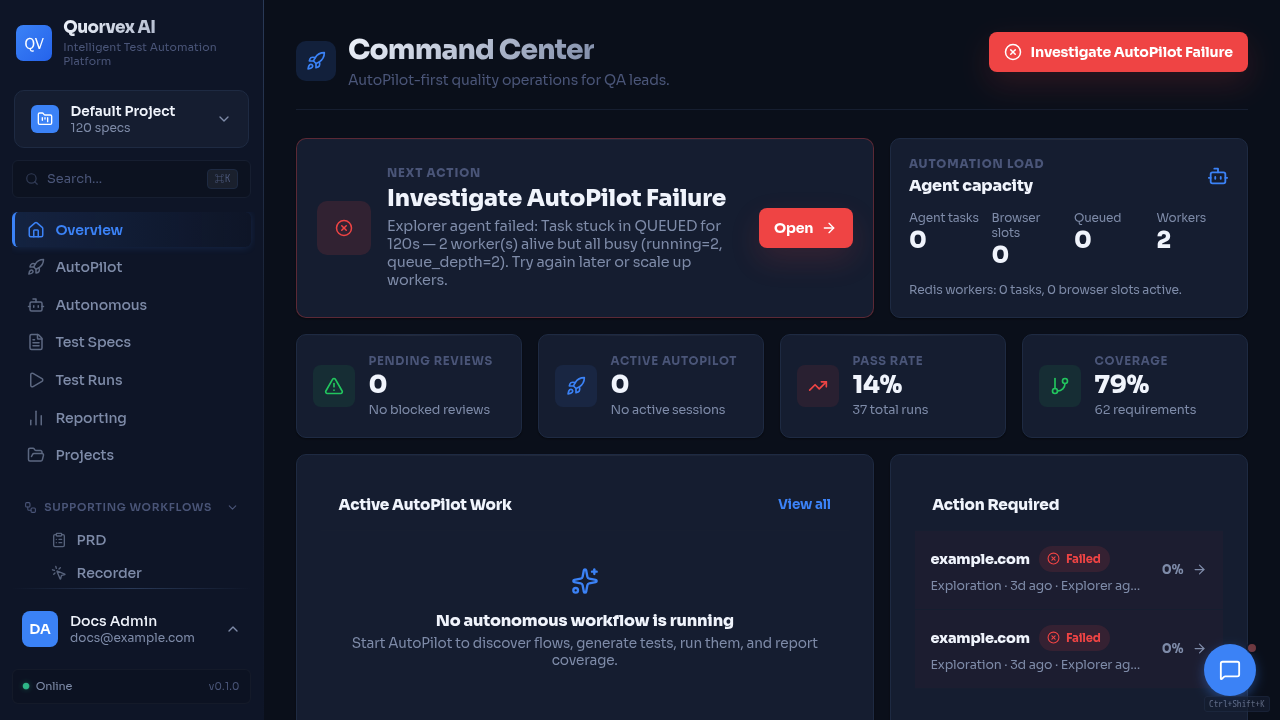
This guide sets up a Codex-controlled YouTube production workflow for Quorvex episodes. It uses official MCP servers where available and repo-local FastMCP wrappers for YouTube upload safety and OBS recording control.
The default mode is dry run. No upload, scheduling, thumbnail update, metadata update, OBS recording start, scene switch, or OBS stop happens unless the user explicitly approves the action and the command passes the matching confirmation flags.
Episode Layout
Episode source files live under:
Generated artifacts live under:
The upload dry-run manifest is:
The OBS dry-run plan is:
Credentials
Keep credentials out of Git. Use .secrets/, .env.local, or shell environment variables.
YouTube upload server:
export YOUTUBE_CLIENT_SECRETS_FILE=.secrets/youtube/client_secret.json
export YOUTUBE_TOKEN_FILE=.secrets/youtube/token.json
export YOUTUBE_CHANNEL_ID=<channel-id>
export YOUTUBE_DRY_RUN=1
OBS server:
export OBS_WEBSOCKET_HOST=127.0.0.1
export OBS_WEBSOCKET_PORT=4455
export OBS_WEBSOCKET_PASSWORD=<obs-websocket-password>
export OBS_DRY_RUN=1
Install Local Server Dependencies
python -m pip install -r tools/youtube_mcp/requirements.txt
python -m pip install -r tools/obs_mcp/requirements.txt
Confirmed YouTube API calls need Google OAuth token JSON in YOUTUBE_TOKEN_FILE. Dry-run checks do not require Google credentials or OBS connectivity.
Add MCP Servers
Add the local YouTube upload wrapper:
codex mcp add youtube-upload \
  --env YOUTUBE_CLIENT_SECRETS_FILE=.secrets/youtube/client_secret.json \
  --env YOUTUBE_TOKEN_FILE=.secrets/youtube/token.json \
  --env YOUTUBE_DRY_RUN=1 \
  -- python tools/youtube_mcp/server.py
Add the local OBS wrapper:
codex mcp add obs \
  --env OBS_WEBSOCKET_HOST=127.0.0.1 \
  --env OBS_WEBSOCKET_PORT=4455 \
  --env OBS_DRY_RUN=1 \
  -- python tools/obs_mcp/server.py
Use account-specific setup docs for MCPs that require vendor auth. The intended production stack is:
# GitHub remote MCP
codex mcp add github -- <GitHub remote MCP command from your account setup>

# Playwright MCP
codex mcp add playwright -- npx -y @playwright/mcp

# ElevenLabs MCP
codex mcp add elevenlabs -- uvx elevenlabs-mcp

# Canva remote MCP
codex mcp add canva -- <Canva remote MCP command from your account setup>

# HeyGen remote MCP
codex mcp add heygen -- <HeyGen remote MCP command from your account setup>

# Descript and vidIQ
# Add these from their account-specific MCP setup instructions.
Production Workflow
- Generate the episode pack:
- Seed deterministic demo data:
- Generate narration:
-
Use Playwright MCP to verify the dashboard path and capture screenshots.
-
Prepare an OBS recording plan:
-
After explicit approval, record with OBS and save the recording path.
-
Assemble the final MP4:
-
Use Canva MCP to create thumbnail variants.
-
Prepare the upload dry run:
- Review
youtube-upload-manifest.json, then ask for explicit approval before confirmed upload or scheduling.
Safety Model
YouTube mutating tools return dry-run summaries unless both conditions are true:
OBS mutating tools return dry-run summaries unless both conditions are true:
Confirmed upload from the Makefile:
Confirmed OBS recording start from the Makefile:
Verification
Static checks:
python -m py_compile tools/youtube_mcp/server.py tools/obs_mcp/server.py
python -m pytest tools/youtube_mcp tools/obs_mcp
MCP smoke checks:
timeout 5s python tools/youtube_mcp/server.py
timeout 5s python tools/obs_mcp/server.py
codex mcp list
make youtube-mcp-check
Dry-run acceptance:
Expected results:
youtube-upload-manifest.jsonis written under the episodebuild/folder.obs-recording-plan.jsonis written under the episodebuild/folder.- No YouTube API mutation is made in dry-run mode.
- OBS is not controlled in dry-run mode.
- Missing files or credentials return actionable errors.